


- Gift Vouchers CAN be used on the MediWheel website and app.
- Gift Vouchers CAN be clubbed with existing offers.
- Gift Vouchers CAN be used for subscription extensions by active users.
- Only one Gift Voucher CAN be used per subscription.
- Gift Voucher CANNOT be used multiple times.
Monitor your well-being with Mediwheel, offering convenient health checkups and comprehensive medical tests. Whether you are scheduling a routine preventive screening or specific diagnostic profiles, utilize accurate and prompt reporting. Get your Mediwheel Gift Vouchers today and manage your personal healthcare effectively.
1. This is a MediWheel GV/GC (Gift Voucher/Gift Card) that will be accepted on the website at
https://www.mediwheel.in/.
2. The user with the GV/GC is deemed to be the beneficiary.
3. The GV/GC can be clubbed with any existing offer on its website.
4. The GV/GC does not apply to EMI transactions.
5. Once activated, the membership cannot be transferred to another user.
6. The GV/GC can also be used for subscription extensions for already active users whose membership is about to expire.
7. This is a one-time use GV/GC.
8. The GV/GCs are not for resale nor redeemable for cash.
9. The GV/GC will be applicable based on the final amount, inclusive of taxes.
10. MediWheel/GyFTR is not responsible if the GV/GC is lost, stolen, or used without permission.
11. The GV/GC CANNOT be revalidated once expired or canceled under any circumstances.
12. GyFTR/MediWheel reserves the right to withdraw, modify, cancel, or change the offer at any point without prior notice and at its sole discretion.
13. For any queries/issues related to GV/GC, please raise a request at www.gvhelpdesk.com. You can also contact MediWheel customer support at 011-41195959 within 24 hours from the date of the transaction.
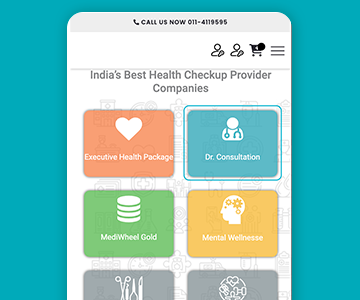
Step 1
Visit the website or app, choose packages, and add to your cart.
Step 2
At the payment stage, choose "Gift Voucher" and enter the voucher code.
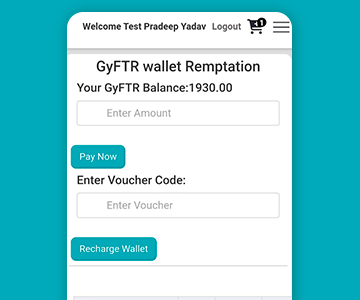
Step 3
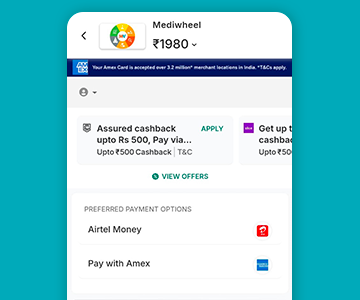
Your balance will be updated accordingly, and you can continue to complete the payment using your wallet.

Company Name : Sarvpay Online Private Limited
.
Quick Read
Easy Guide
© 2025 copyright. All rights reserved.