


- Gift Vouchers are ACCEPTED at Listed Marks & Spencer Outlets.
- Gift Vouchers/e-Pay CAN be used on the Marks & Spencer website and app.
- Gift Vouchers once converted to e-Pay CAN only be used online.
- Gift Vouchers/e-Pay CAN be used to buy discounted products during the sale.
- Gift Voucher CAN be used multiple times once converted to e-Pay balance.
- Multiple Gift Vouchers CAN be combined & added to e-Pay balance.
Refine your wardrobe with Marks & Spencer, offering a curated selection of premium apparel and sophisticated daily wear. Whether you are updating your office attire or finding comfortable casuals for the weekend, choose high-quality fabrics and classic fits. Get your Marks & Spencer Gift Vouchers today and wear reliable, modern clothing.
1. This is a Marks & Spencer Gift Voucher (GV)/e-Pay and can be redeemed for any product on the listed stores/mobile app/at https://www.marksandspencer.in/.
2. The person with the Marks & Spencer GV/ e-Pay is deemed the beneficiary.
3. Once the Vouchers are added to e-Pay online, they cannot be used in Retail Stores.
4. The GV/e-Pay cannot be revalidated once it expires.
5. The GV can be converted into e-Pay, and then it can be used partially at the holder's convenience.
6. GV/e-Pay is non-refundable, may not be exchanged, transferred, or resold, and may not be redeemed for cash.
7. Multiple GVs can be combined and added to the e-Pay balance.
8. The GV/e-Pay can be clubbed with ongoing sales.
9. Marks & Spencer/GyFTR is not responsible for lost, damaged, or stolen GV/e-Pay.
10. Any dispute should be referred to the company and the decision of the company shall be final.
11. GV/e-Pay has been issued subject to the terms of the company.
12. Marks and Spencer makes full efforts to accept GV/e-Pay but on account of any technical/administrative reasons an outlet may refuse to accept the same.
13. For any concerns or issues related to GV / GC, raise a request at www.gvhelpdesk.com.
Step 1
Go to **Profile** and log in with a password or OTP.
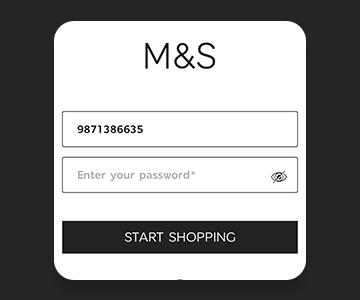
Step 2
Choose your product and add it to the cart.

Step 3
Add an address, select GyFTR EPAY, and check balance to trigger OTP.

Step 4
Manually add vouchers, view them under "My Vouchers," redeem the desired amount, and pay any remaining balance.

Step 5
Use the outlet locator, select your product, share the Gift Voucher at billing, and pay any balance if needed.


Company Name : Sarvpay Online Private Limited
.
Quick Read
Easy Guide
© 2025 copyright. All rights reserved.